| Jul 11, 2021 | |
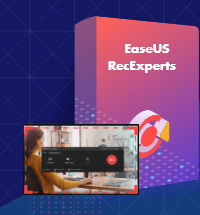
| Hi there, this is Abby with EaseUS. | | Today, I want to introduce you a Screen Recording Software - EaseUS RecExperts. You will like it if you want to make a screencast video to make a demonstration video for your app, capture web conference for backup and later review, record online class lecture for e-learning, record your finest gaming moments, save the wonder video chat moment, record a short video clip for troubleshooting and customer support, etc. | |
| |
| What's Included in EaseUS RecExperts? |
| | Edit Videos | | Make real-time editing during the recording or deploy advanced editing and add effects after the recording. | | |
| | Record Webcam | | Record webcam only or record webcam along with your screen simultaneously. | | |
| | Task Recording | | Create scheduled tasks to record PC screen/webcam automatically or follow a running application to record. | | |
| | Convert Video | | Convert the recorded videos into different formats like MP4, AVI, WMV, MOV, etc. | | |
| | Take Screenshots | | Take a screenshot with one click and it will be saved automatically. | | |
| | Record Audio | | Adjust the volume and customize the audio sources from sound card or microphone. | | |
|
| |
| |
| We Guarantee Your Privacy | EaseUS will never give, lease, sell or otherwise disclose your personal information. Any information you give to EaseUS will be kept safely (Privacy Policy). | | Copyright © 2004 - 2021 EaseUS. ALL RIGHTS RESERVED. | |
Comments
Post a Comment
Orang yg dewasa adalah orang yg berkomentar dengan baik :)